

When you own an iPhone or an iPad, you’ve probably come across various terms related to apps and software. One term that might seem confusing is the “.ipa” file. But don’t worry! In this article, we’ll break down what exactly a .ipa file is, why it’s important, and how it works in simple and easy-to-understand language.

Understanding the .ipa File
To put it simply, an .ipa file is the format that Apple uses to package and distribute apps for iOS devices like the iPhone, iPad, and iPod Touch. If you’ve ever installed an app on your device, chances are you’ve interacted with an .ipa file without even knowing it.
The .ipa file contains everything that makes up the app: its code, resources like images and sounds, and sometimes, even configurations for settings. So, when you download an app from the App Store, your device is essentially receiving and installing an .ipa file in the background.
How Does an .ipa File Work?
Now that you know what a .ipa file is, it’s important to understand how it works. Think of an .ipa file as a complete package that contains everything needed for an app to function on your iPhone or iPad.
When you download an app from the App Store or install it using iTunes or a third-party source, the .ipa file is unpacked and its contents are installed on your device. This allows your phone or tablet to run the app correctly and let you use its features.
An .ipa file is essentially a zip archive (similar to a .zip file on your computer) that contains all the necessary files to run the app. These files include the app’s code, images, sounds, icons, and other resources required for the app to work. Without the .ipa file, an app wouldn’t be able to run on your iOS device.
Where Do You Find .ipa Files?
The most common place you’ll find .ipa files is on the Apple App Store. When you install an app from the App Store, your device downloads and unpacks the .ipa file to your device. However, if you want to manually install an app, you might encounter .ipa files in a few other places:
- Third-party Websites: Some websites or platforms allow you to download .ipa files directly, especially if the app is not available on the App Store in your country. These .ipa files can sometimes be used for installing apps that are not officially approved by Apple.
- iTunes: If you’ve backed up your apps through iTunes, you might find .ipa files on your computer. You can manually transfer these files to your device using iTunes.
- Enterprise Distribution: Businesses and companies that create custom apps for their employees sometimes distribute these apps using .ipa files. These files are not available through the App Store and are instead downloaded directly to devices within the company.
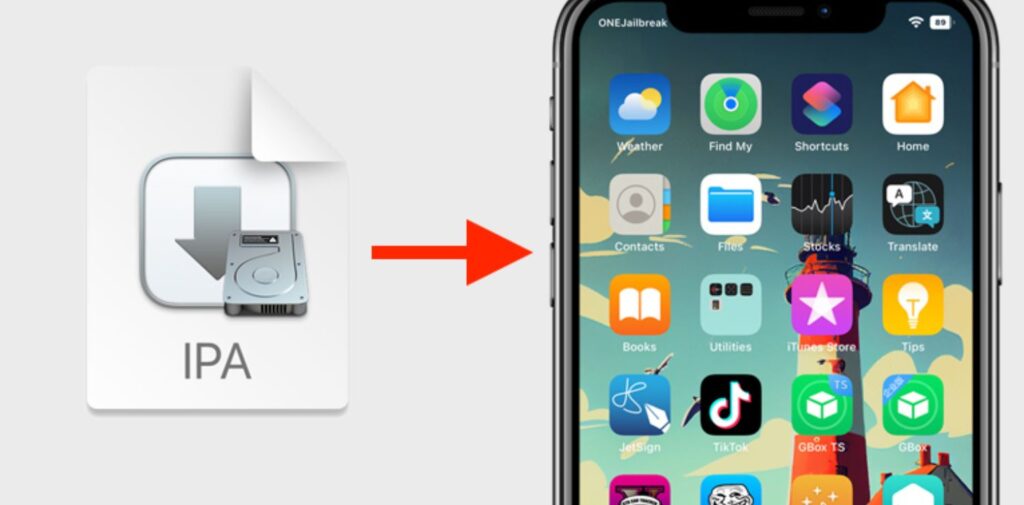
How to Install an .ipa File on Your iPhone or iPad
You may wonder how to install an .ipa file on your device. While the process isn’t as straightforward as downloading from the App Store, it is still possible. Here’s how you can do it:
- Using iTunes:
- First, download the .ipa file to your computer.
- Open iTunes and connect your iPhone or iPad to your computer.
- Drag the .ipa file into the iTunes window.
- Click on your device in iTunes and then click the “Apps” tab.
- Find the app in the list and click “Install” to transfer the .ipa file to your device.
- Using Cydia Impactor:
- If you prefer not to use iTunes, there’s another way to install .ipa files using a tool called Cydia Impactor.
- Download and install Cydia Impactor on your computer.
- Connect your device and drag the .ipa file into the Cydia Impactor window.
- You’ll need to log in with your Apple ID, after which the app will be installed on your device.
Are .ipa Files Safe?
If you’re thinking about downloading .ipa files from third-party websites, you might be concerned about their safety. It’s true that apps downloaded from unofficial sources can sometimes contain malware or be altered in ways that could harm your device. Therefore, it’s always a good idea to be cautious.
To ensure safety, here are a few tips:
- Always download apps from the official App Store whenever possible.
- If you must download an .ipa file from a third-party site, make sure the website is reputable and trustworthy.
- Use antivirus software on your computer to scan any files before transferring them to your device.
Why Do .ipa Files Matter?
While most people interact with .ipa files without realizing it, these files are crucial for the functionality of iOS apps. The .ipa file format helps Apple streamline the app distribution process and ensures that apps are packaged correctly for iOS devices.
Here are some reasons why .ipa files are important:
- App Distribution: The .ipa file is the standard format for distributing apps on the iOS platform. It simplifies the process for developers to package and send apps to users.
- Security: .ipa files help Apple maintain control over app distribution. Apps in the App Store go through a strict review process to ensure they are secure and free from malware.
- Custom Apps: For businesses and developers, .ipa files allow them to distribute custom apps that are not available on the App Store. This helps companies build specialized tools for their employees or customers.

Common Problems with .ipa Files
Although .ipa files are essential for app installation, sometimes users can run into problems with them. Some common issues include:
- App Installation Failures: Sometimes, when trying to install an .ipa file, the installation might fail. This could happen if the file is corrupt, incompatible with your device, or if there’s an issue with your Apple ID.
- App Crashes: If the .ipa file is not correctly signed or has been tampered with, the app might not run correctly, leading to crashes or errors when you try to open it.
- Outdated .ipa Files: If the .ipa file was downloaded a long time ago, it might not be compatible with the latest version of iOS, resulting in errors during installation.
Conclusion
In simple terms, an .ipa file is a special kind of file used by Apple to distribute and install apps on iPhones, iPads, and iPods. These files contain everything needed to run an app on an iOS device, including code, resources, and configuration settings. Understanding how .ipa files work is helpful, especially if you want to manually install apps or explore alternatives beyond the App Store.
While most users will never need to interact with .ipa files directly, knowing what they are and how they function can make you more aware of the app installation process. Always be careful when downloading .ipa files from unofficial sources, and stick to trusted platforms like the App Store to keep your device safe and secure.
Now that you have a clearer idea of what an .ipa file is and how it works, you’ll be better prepared to manage apps on your device. So, next time you hear about .ipa files, you’ll know exactly what they are and how they help you enjoy the apps you love on your iPhone or iPad!