
As technology is advancing to our benefit, so is the danger that comes along with it. Malpractices used to be different when technology wasn’t emerging. People have found different ways of committing cyber fraud. It could be through phishing, online scams, or hacking.
It is for us to be a little more aware every day and take necessary precautions so that we don’t end up falling into any kind of trap or scam.
This becomes a huge responsibility for remotely working professionals as they have so much of the company’s data on their devices. Offices are designed in a manner to be secure. Working outside makes people more vulnerable to data breaches, phishing attacks, or threats. In this article, we will discuss the practices that are essential against cybersecurity that every remote worker should adopt.
A Wi-Fi Network that is Secure
Most work is based on home Wi-fi. An unsecured Wi-fi can invite cyberattacks. There are ways to secure it:
- Change the default settings of the router, i.e., username and password.
- Hide your network SSID.
- Enable firewall protection on the router.
- Use strong WPA3 or WPA2 encryption
- Keep your router’s firmware updated.
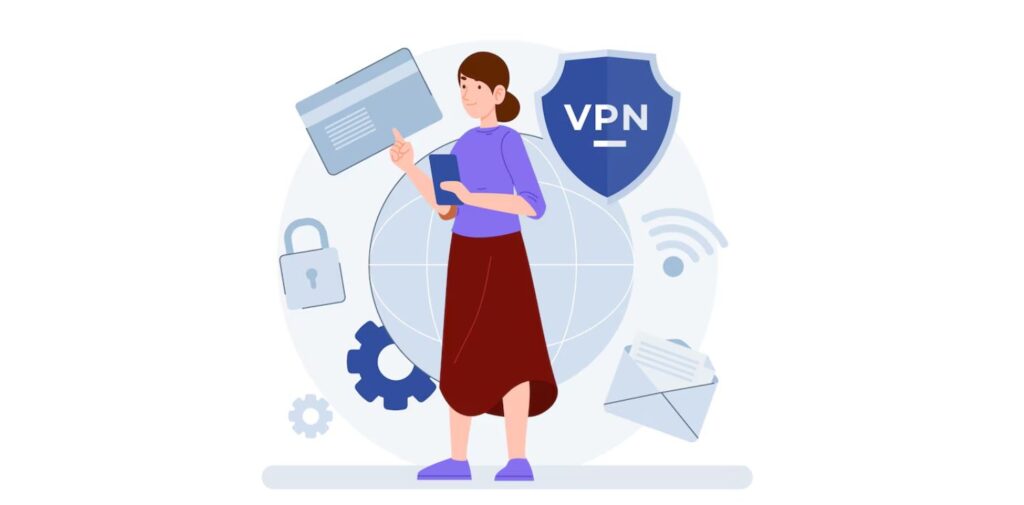
You should use a VPN
Encryption by a VPN conceals your IP address, which keeps your activity while browsing the internet safe from snooping. It becomes very important when we use unsecured networks, for example, at cafes or co-working spaces.
- There are many good reasons to use a VPN.
- Defends the company’s important data.
- Protects your privacy by concealing what you do from users trying to attack you online and your ISP.
- Enables surfing region-locked services that are secure.
Lots of companies supply enterprise VPNs, but you can also count on personal VPN services like NordVPN, ExpressVPN, and ProtonVPN.
Add multiple-factor authentication to the system.
Using passwords by themselves isn’t strong enough these days. Because phishing and credential-stuffing attacks are rising, MFA adds an extra security step.
You are required to verify who you are when you use MFA.
- You’ll get a code sent to your mobile phone or email.
- Fingerprint or face scan
- Averaging a service like Google Authenticator or Authy
Make sure to turn on MFA for your emails, cloud storage, teamwork tools, and banking apps.
Make Sure to Use Different and Strong Passwords
A straightforward and very effective way to enhance security is making sure each password is different and strong. Using the same password for many sites can result in all your accounts being compromised if just one is breached.
Tips:
- Add at least 12 characters, some of which should be symbols, numbers, and upper- and lower-case letters.
- Avoid using personal information.
- You can use password managers, including 1Password, Bitwarden, and LastPass, which will create and manage your passwords securely.
Update All Your Devices
Updates for software may feel annoying, yet they often protect your device from threats.
Try to do it regularly.
- Ensure that your operating system, antivirus software, browser, and apps get updated automatically.
- Check your router, webcam, and smart devices from time to time for new firmware updates.
- Uninstall apps that you haven’t used in a long time if they are no longer supported.
Many attacks happen because the known flaws are not fixed, so updates help close them.
Always Lock Your Devices Whenever You Aren’t Using Them
If you work at home, keep in mind to lock your screen whenever you go away. It keeps accidental or unwanted access from happening when others are using the house too.
Enable features to lock your screen automatically.
- 5–10 minutes for desktops and laptops.
- Render faster for mobile devices.
- Don’t use simple patterns on your phone; use biometrics or secure PINs instead.
Find Out What Your Company’s Security Policy Is
If you are working remotely for a company, be sure to know their rules for working from home. Sometimes, they count on using particular tools, VPNs, or platforms to communicate.
Contact your IT department to check these questions.
- What devices are approved?
- Are there special software needs for each company’s security?
- How should you respond if a security breach happens?
Your actions should always follow the expectations of your company.
Final Thoughts
Being able to work anywhere is great, but having a remote job means you are responsible for more. Looking after your security isn’t only the job of IT professionals—it’s something you should care about for yourself. Keeping your network, devices, and data safe helps both your privacy and the privacy of your company, clients, and team members.
Attacks are always changing because the digital environment keeps changing. When you use the practices from this guide, you will feel safer and more confident while working remotely. Working remotely is a trend that’s here, so let’s focus on keeping it secure.