
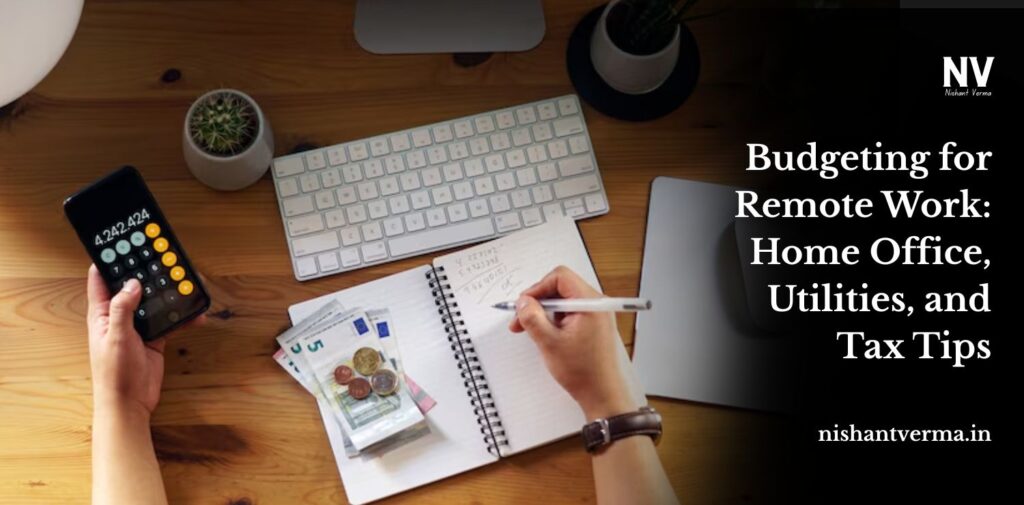
Remote work has changed how we make money and also how we handle money matters. Giving up the daily trip to work and workday lunches can feel like you’re saving money, but there are still expenses to consider. Setting up a useful space at home for work, handling rising bills, and figuring out taxes all require a financial plan for those who work from home.
Here, we’ve put together a plan to help you budget for remote work, including home office costs, bills, and tax planning.
Home Office Setup: What Kinds of Expenses Should Be Expected
To get the most out of your home office, you often have to pay for good equipment and a good setup. Still, you can keep costs under control by figuring out which costs are necessary up front and which come up again and again.
Essential expenses that you only pay once:
Ergonomic furniture for your desk and chair can save you from problems that might occur in the future. Invest wisely.
- You need a good computer or laptop that won’t fail during your remote work sessions.
- Having a reliable router boosts your internet router’s connection.
- Accessories and lighting, such as a desk lamp, headphones that reduce disturbing noises, and monitor stands, support you in working efficiently.
Recurring Costs:
Software You Must Have:
- Project management software (e.g., Notion, Asana), Google Drive for your files, and Zoom for your video calls.
- Occasionally, you may have to maintain or update your technology.
- Items needed around the office: Stationery, ink, printer paper, and so on.
Budget Tip:
Set up a budget category called “Work Setup” and make sure you don’t exceed it. If you can, buy used furniture or make use of employer stipends.

What Should You Expect if Your Utility Costs Go Up?
Because you’re working at home all week, your utility expenses can rise. You use more electricity, the internet, and water since you’re usually at home.
Types of Utilities Used by People
- More phones, TVs, and computers, plus extra heating or cooling, can lead to a more expensive electricity bill.
- You might need to improve your Internet plan to ensure smoother work.
- Cooking and using restrooms while working add to your water and gas consumption.
Budget Tip:
Look at your utility bill amounts for 2 or 3 months to see what your average will be. Smart plugs, LED lights, and energy-saving settings are great ways to cut waste and save money.

Tips for Taxes for Anyone Working Remotely
In India, especially freelancers and self-employed individuals, can claim tax deductions on work-related expenses like internet, phone bills, rent (proportional), equipment, and software.
These must be used exclusively for business and properly documented. Salaried employees cannot claim home office deductions but can optimize through employer reimbursements such as internet and phone allowances.
Travel for work may also be deductible for freelancers. Use tools like ClearTax or Quicko for filing, and maintain detailed expense records. Consult a tax professional to ensure compliance and maximize savings. Tracking expenses regularly helps avoid missing out on legitimate deductions during tax season.
Budget Tip:
Either use an app or a spreadsheet to keep track of every expense from your job. Chat with a tax expert every year to ensure you’re not missing deductions on your return.
Considering Other, Unseen Remote Work Costs
Sometimes work costs are not easy to spot, yet they will add up if not noticed.
There are Additional Hidden Fees:
You need to take care of health insurance and retirement savings on your own since companies don’t offer these.
- Working outside the house occasionally means you have to pay for coworking or coffee at a café.
- Whether for backup devices or data plans, it’s important to prepare for emergencies such as no electricity or internet.
- Sometimes home workers need support from therapy, productivity coaching, or wellness applications.
Budget Tip:
Add an extra little amount each month to your budget to cover unexpected expenses.

Try budgeting tools to make things clearer.
When you use powerful tools, controlling your expenses becomes simpler. They allow you to keep a record of your costs, watch your savings targets, and study how you spend.
The following tools are recommended for you to try:
If you go with You Need A Budget (YNAB), you’ll be able to manage a zero-based budget well.
- Mint allows you to see all your bank accounts, credit cards, and bills on the same screen.
- Toshl Finance and PocketGuard are simple and enjoyable apps for handling all your finances.
- If you keep using a budget tool, it helps create financial discipline and prevents worry.
Conclusion
It doesn’t mean you’ll save money; it’s handled differently when it comes to finances. To work remotely, individuals should think through setting up a workplace, higher energy bills and what they can deduct from their taxes.
Keeping a good record of what you buy, figuring out the deductible expenses and changing your budget will help you be both productive and save finances while working remotely.
Having freedom from office work requires you to take on some responsibility. Having a smart budget in place for your home office will help your job and your finances.