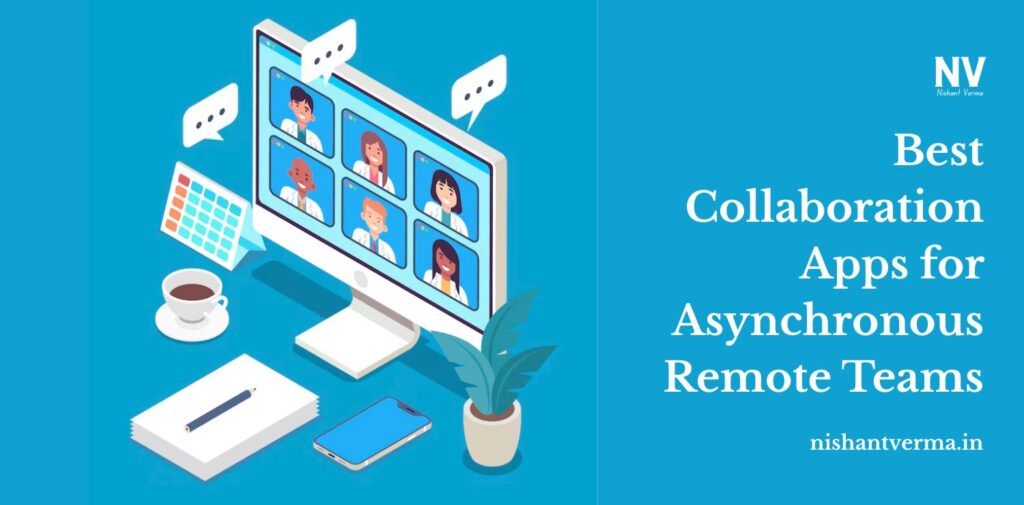
Since many workers are remote now, asynchronous communication is helping teams stay productive without everyone having the same work hours. No matter how far your team is scattered, asynchronous workways give everyone the space and time to finish tasks at their convenience.
For everything to run well, teams depend on the right digital resources. For managers, these apps have to ease teamwork, help with project visibility, allow file sharing and support clear communication—all of this, even without needing instant responses.
We’ll take a close look at a few top collaboration apps that support asynchronous remote teams in 2025.
Why It Is Important to Collaborate Away from Real-Time Meetings
Let’s look at the main reason why asynchronous collaboration is so essential before we talk about the tools:
- Worker flexibility: Each person has their set hours when they perform at their best.
- United Access: Team members from different time zones don’t need to change their schedules for meetings.
- Fewer distractions: Our minds can work on one thing at a time.
- Documentation: Asynchronous tools make it important to write things down, which helps everyone stay clear and transparent.
Still, if the infrastructure isn’t strong enough, asynchronous work may not work as planned. The apps listed below help teams stay in contact, find what they need, and continue their work even if they aren’t online simultaneously.

Slack is good for communicating via threads while keeping everything organized.
While it’s famous for real-time messaging, Slack works well in asynchronous ways because of its structured channels, threads, and integrations.
Reasons Why Async Teams Love It.
- Users can post long messages and check their team’s answers later on.
- Threads help you keep topics organized when you communicate.
- No need for a meeting; you can use recorded voice and video clips to get your ideas across.
- You can use Google Drive, Asana, and Zoom along with BetterCloud.
Notion works like cloud storage for your shared documents and Knowledge Base.
Notion blends up the use of documents, wikis, project management, and databases on one platform.
How Async Teams Benefit from It:
- Make pages where students can work together, meeting notes, SOPs, or come up with ideas.
- Anyone can make edits or changes to documents whenever it’s convenient for them.
- Very useful for building documentation, a fundamental part of async work.
- Database views are provided for accessing calendars, bug reports, or OKR information.
It’s a good idea to create a group dashboard with useful links and current tasks to ensure everyone is working as a team.

Loom, in the context of video communication
You can use Loom to record your screen, voice, and camera to make short videos for teammates to view whenever they like.
Why It’s Ideal for Remote or Asynchronous Groups:
- Make it easier to review designs or give explanations with recorded videos, instead of doing them during a live call.
- Keeps people connected by using tone and facial expressions.
- There is an option to respond with emojis or leave time-snapped comments.
- Useful when teaching people how the system works.
ClickUp is the option selected for project and task management.
With ClickUp, you can keep tasks, documents, conversations, and objectives all in one place.
How This Software Helps Async Teams:
- Use task owners, timelines, and importance to keep work in order.
- Respond with comments, add files, and set your status summary to communicate, minus the meetings.
- Has time tracker features, and multiple dashboard options, includes creating mind maps, and automates repetitive tasks.
- They catch up on changes immediately when they sign back in.

Figma, for teamwork on async design projects
You can use Figma in real time, but it is still helpful for those who don’t need real-time collaboration. Designers, developers, and product teams can all contribute to interfaces, communicate with each other on prototypes right away, and manage updates in one system.
Why It’s Perfect for Working with Teams Remotely:
- Any design change is instantly shown across a given structure, with fewer problems with version control.
- Likewise, anyone can record comments that appear alongside certain areas in the design.
- It can be integrated flawlessly with Slack and Jira.
Miro, to carry out your asynchronous Whiteboarding & brainstorming sessions.
Miro lets you and your team collaborate on ideas using the app, both when everyone is together and when people are not.
Why It’s Special for Asynchronous Teamwork:
- Send over brainstorming materials, flowcharts, maps of a customer’s journey, or agile boards.
- Put sticky notes, insert images, videos, and draw diagrams.
- Both collaborators and clients are always welcome to join, add their ideas, and share what they think.
- A good tool for running meetings or workshops when teams are in different time zones.
- It helps to make a Loom video of your board to guide others on your team through your concept.
Conclusion: Encouraging Async Online Teaming
No matter how powerful these tools are, asynchronous work won’t work without further efforts from team members. Apart from these, teams must have:
- Strict policies on how we communicate and when we respond
- Keeping everyone updated through good documentation
- Reliance on your ability to work on your own
The right collaboration applications make it possible for employees to work remotely and still feel linked to the group. Whenever you add organized messages in Slack or useful video guides from Loom, remote teams have the advantage of keeping in contact without missing out on alignment.
In the future, asynchronous collaboration will become a better method, putting people ahead of processes and trends.